
Overview
Streampixel enables seamless two-way communication between your custom frontend, the iframe, and the Unreal Engine application running inside it. Using JavaScript methods likepostMessage and addEventListener, you can:
- Receive messages:
- Listen for updates from the Unreal Engine application or iframe (e.g., stream states, custom events).
- Send commands:
- Send commands to the Unreal Engine application or iframe for controlling audio, resolution, session state, or custom features.
Listening for messages
To capture messages sent from the iframe or Unreal Engine application, use thewindow.addEventListener method.
Example: listening for messages
Sending messages
To interact with the iframe or Unreal Engine application, send messages using thepostMessage method. This allows you to control the stream or trigger specific Unreal Engine events.
Example: sending commands
Configuring Unreal to send and receive messages
The frontend code above only handles the browser side. Unreal also needs Blueprint setup to actually receive what your page sends and to send messages back.Receiving from your page (UE side)
Add a Pixel Streaming Input component to yourPlayerController, bind to its OnInputEvent delegate, and parse the JSON Descriptor string with Get JSON String Value.
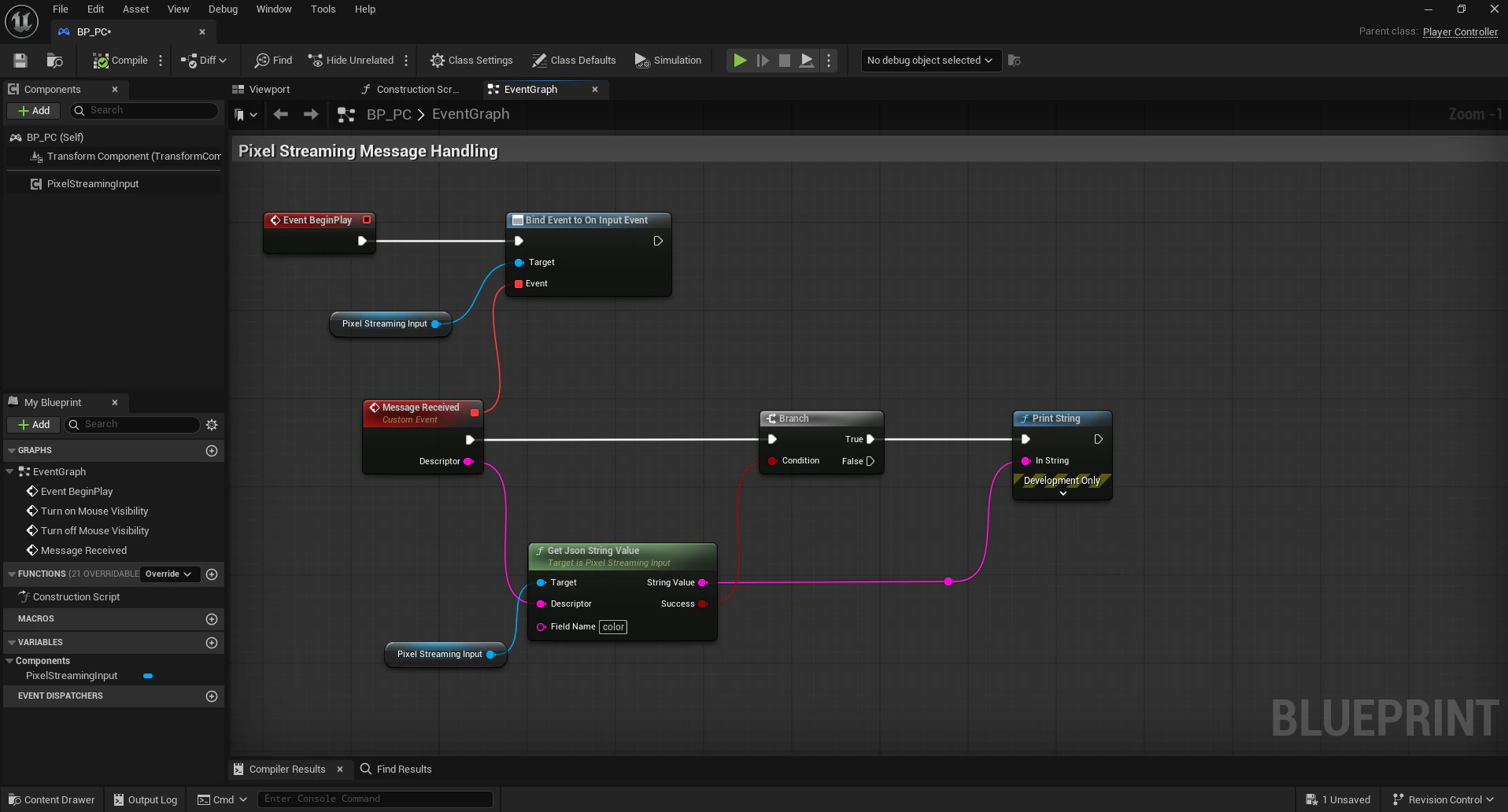
Blueprint setup for receiving Pixel Streaming input messages
Sending from UE to your page
Use the Send Pixel Streaming Response node. The string in the Descriptor field is delivered to your page as theevent.data payload of a message event.
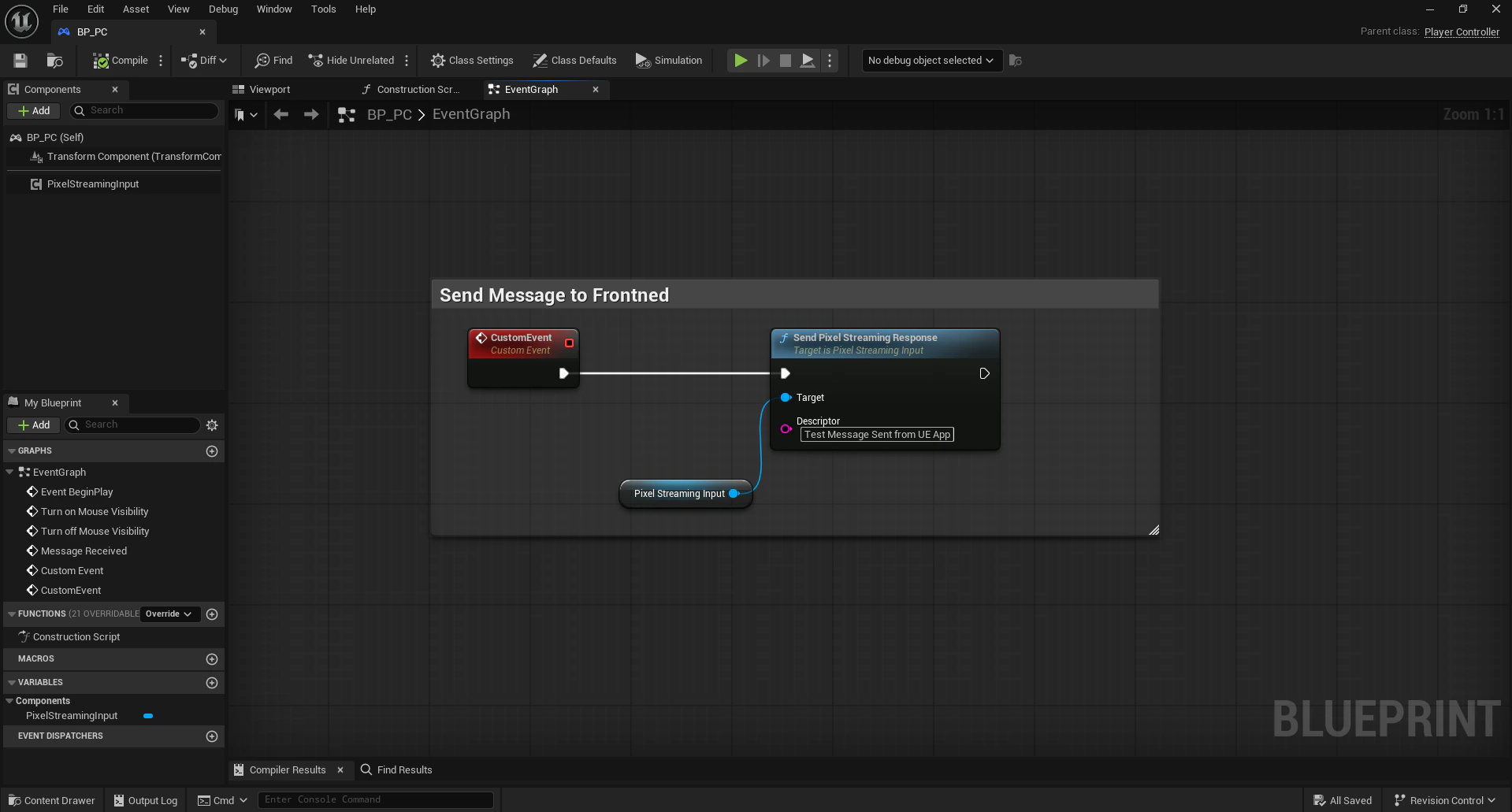
Send Pixel Streaming Response node sending JSON back to the frontend
Security best practices
- Validate incoming messages:
-
Always validate
event.originto ensure the message is coming from the StreamPixel iframe:
-
Always validate
- Restrict outgoing messages:
- Replace
'*'with the exact origin (https://share.streampixel.io) when sending messages viapostMessageto enhance security.
- Replace
Next steps
Stream states
Listen for real-time stream state updates and metadata.
Stream control commands
Reference of all commands you can send to the iframe.